Turn Your Phone's Sleep Data Into a Sleep Report
Upload your Apple Health or Health Connect export and we'll email you a professional Sleep Pattern Report (PDF) to review with your clinician or bring to your next appointment.
A Two-Page PDF Sleep Report
Every report includes your average sleep duration, bedtime and wake time, a night-by-night table, and trend charts of your sleep patterns. Here's an example with sample data:
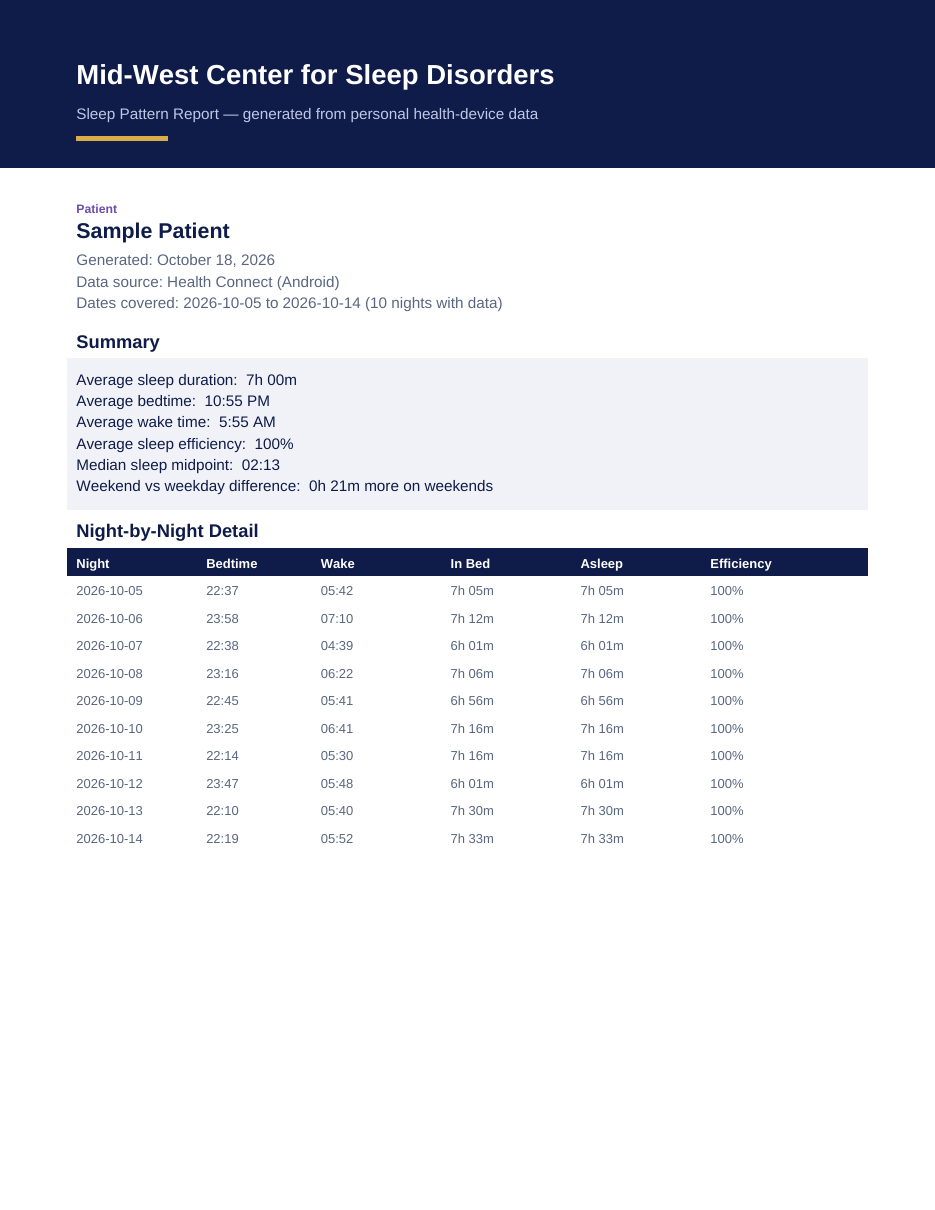
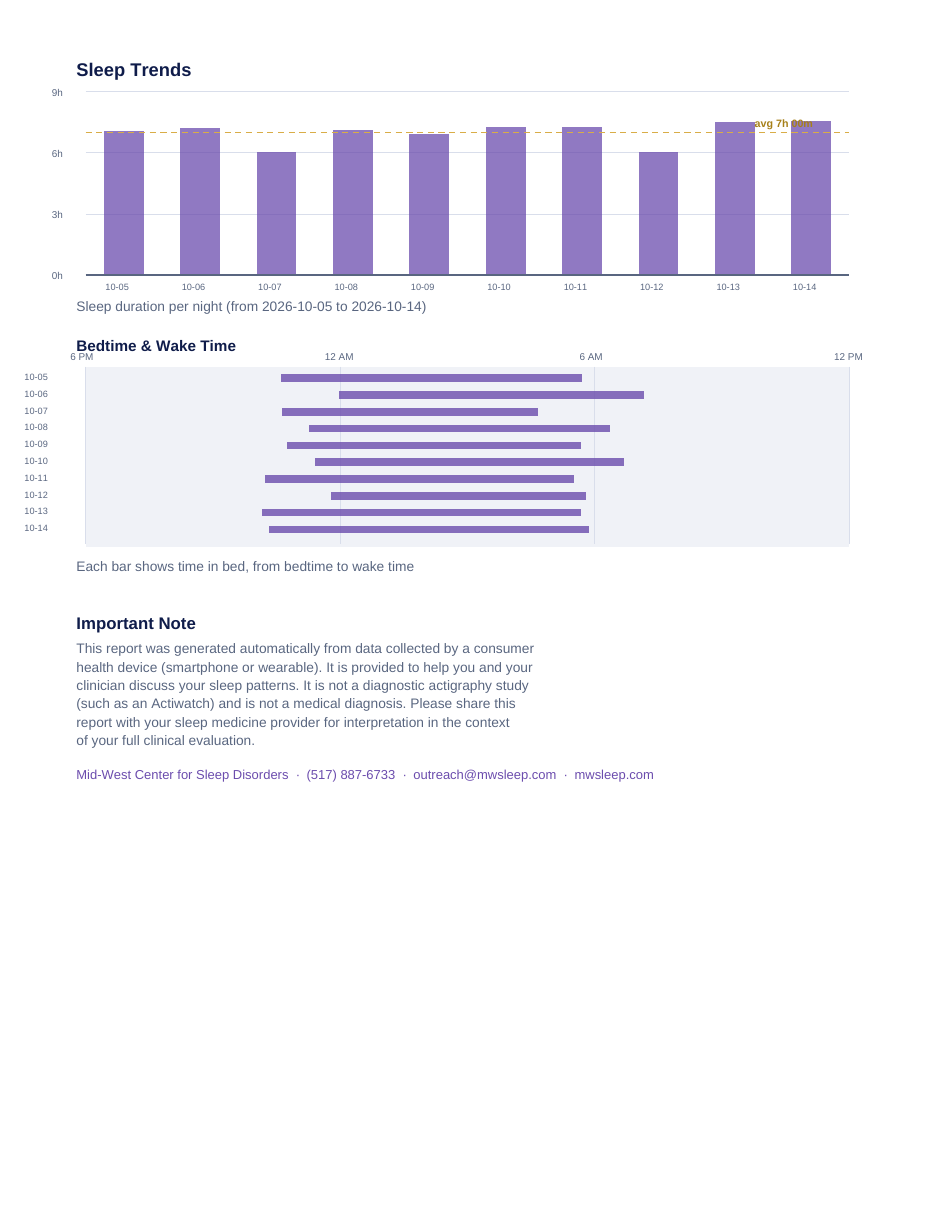
Example shown with sample data. Your report uses your own sleep data and is delivered by private email link, then deleted from our systems after 14 days.
Know Someone Who Needs This?
Share the Sleep Data Report with a family member, friend, or your doctor's office — anyone with an iPhone or Android phone can generate their own report.
How to Export Your Data
iPhone — Apple Health
- 1Open the Health app and tap your profile picture (top right).
- 2Tap the circular Export icon (or 'Export All Health Data').
- 3Choose 'Export' and share the resulting ZIP file — save it to Files or email it to yourself.
- 4Upload that ZIP file here.
The export may take a minute to prepare if you have a lot of data.
Android — Health Connect
- 1Open the Health Connect app (Settings → Health Connect on some phones).
- 2Use the app's data export feature to export your data, including sleep sessions.
- 3Upload the exported file (JSON or CSV) here.
Sleep must be tracked by a connected app (e.g., Samsung Health, Fitbit, Garmin) and shared with Health Connect.
A secure download link is emailed to you — review it anywhere.
Your report is securely deleted from our systems after 14 days.
The download link is unique to your report. Please don't forward it.
This report is generated from consumer health-device data. It is helpful for discussing your sleep with a clinician, but it is not a diagnostic actigraphy study and not a medical diagnosis.